Quick Start
Use this page when you only need the shortest path: install OSTwin, create a
plan.md markdown file, then start the work.
-
Install OSTwin
Terminal window installer_file="$(mktemp)"trap 'rm -f "$installer_file"' EXITcurl --proto '=https' --tlsv1.2 -fsSL \https://twin.igot.ai/installer.sh -o "$installer_file"chmod 0700 "$installer_file"# Inspect and verify the downloaded file before execution.export OSTWIN_INSTALLER_VERSION=v1.0.0 # Replace with the approved tag.bash "$installer_file"For a non-interactive install:
Terminal window bash "$installer_file" --yesFor controlled deployments, pin a tagged release and verify its checksum and approved provenance against an independently obtained release manifest.
-
Create
plan.mdTerminal window mkdir -p test-project-xipatcd test-project-xipatcat > plan.md << 'EOF'# Qualification Form in Shopify New Customer Accounts## Configprovider: anthropicmodel: claude-sonnet-4-20250514## GoalBuild a Shopify new customer account qualification form that collectsbusiness details, validates required fields, and routes the submissioninto a review workflow.## Epic 1: Qualification Form UIRoles: engineer, qa### Definition of Done- Customer account page shows the qualification form- Form captures business name, tax ID, contact email, and review notes### Acceptance Criteria- Required fields block submission when empty- Valid submissions show a confirmation state- Form state is testable locally### Tasks- TASK-001: Add the customer account form UI- TASK-002: Implement validation and submit handling- TASK-003: Add tests for required fields and success stateEOF
Start The Work
Section titled “Start The Work”Create the plan record, then launch it:
$ ostwin plan create plan.md✓ Plan created: f055e125de07  Title:  Qualification Form in Shopify New Customer Accounts  Dir:    /Users/xxxx/Downloads/test-project-xipat  Source: plan.md  Editor: http://localhost:3366/plans/f055e125de07
$ ostwin run f055e125de07
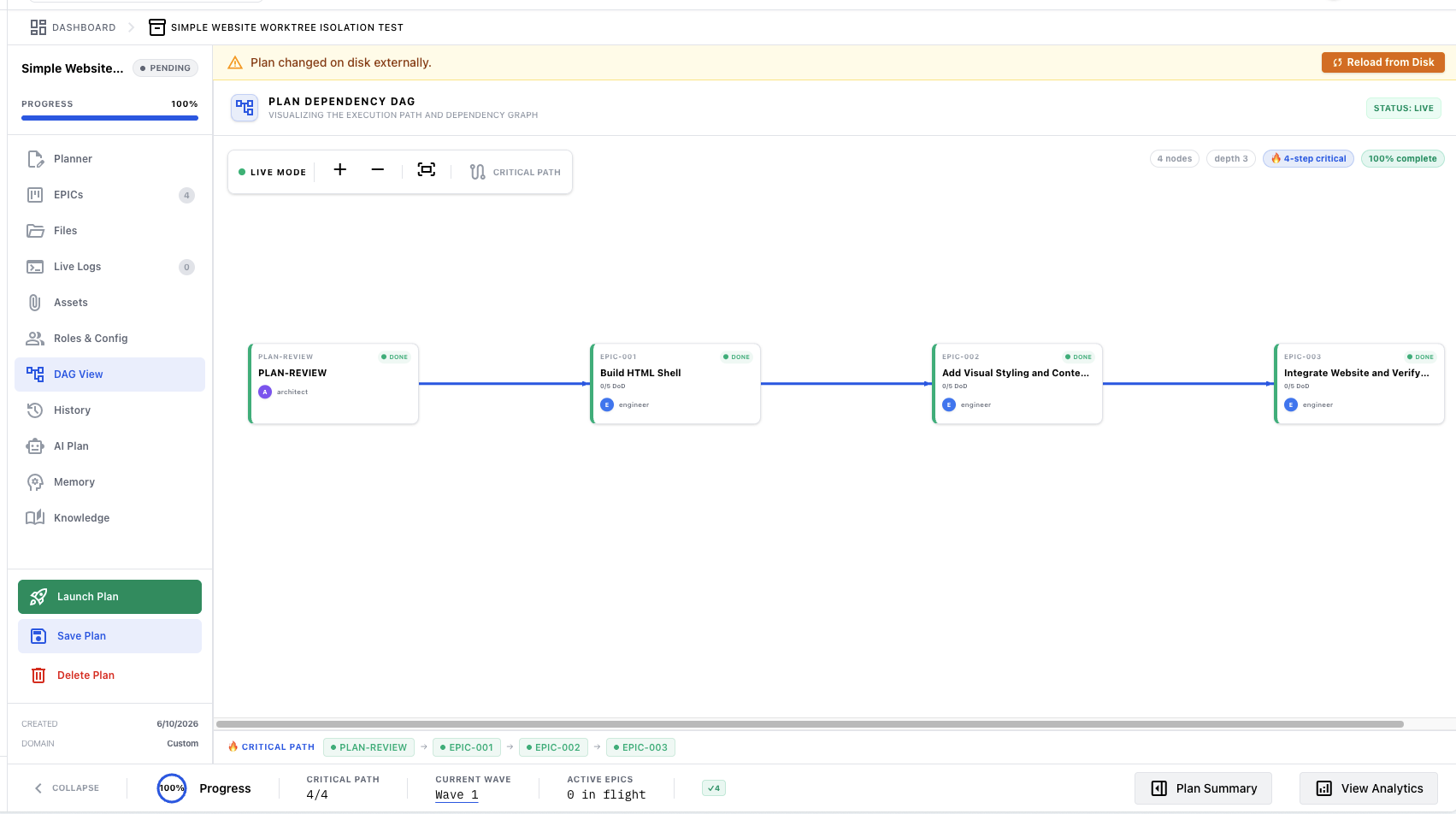
The editor shows the plan flow as a dependency graph: